See it in a store
Real screens from a WooCommerce test store.
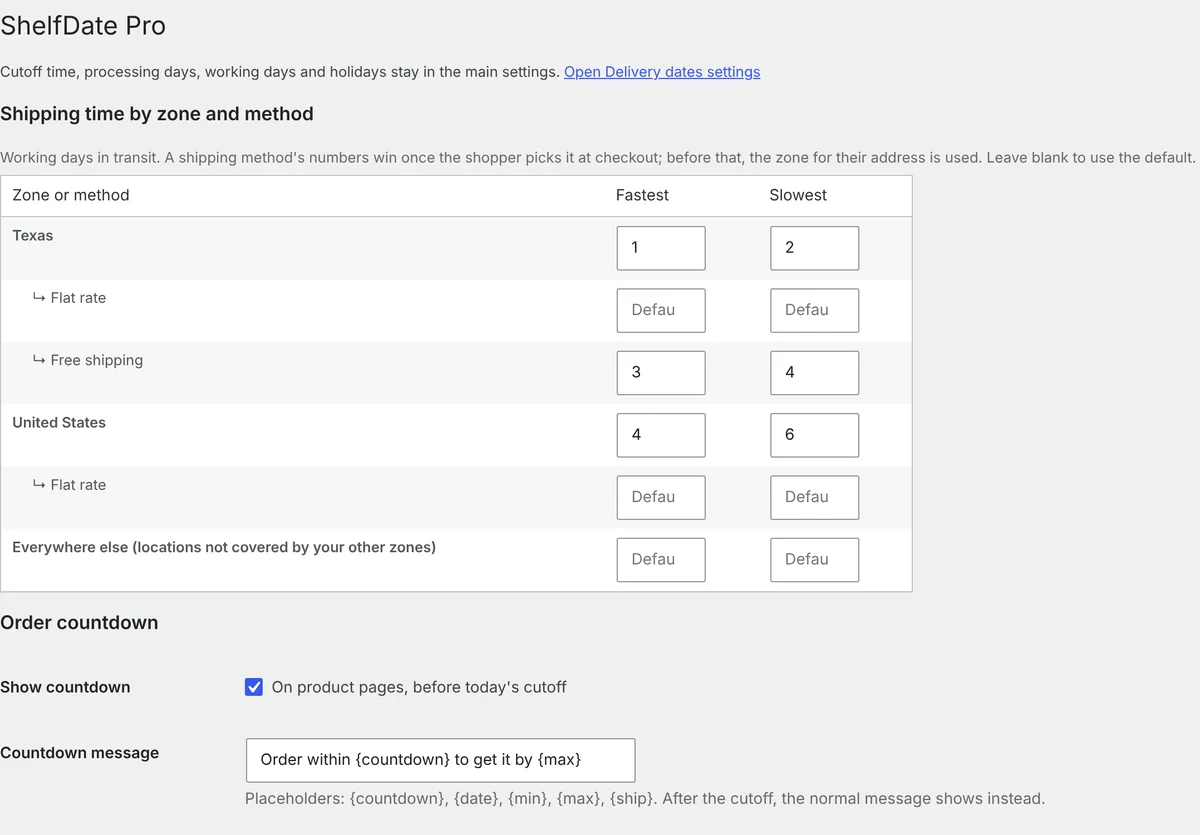
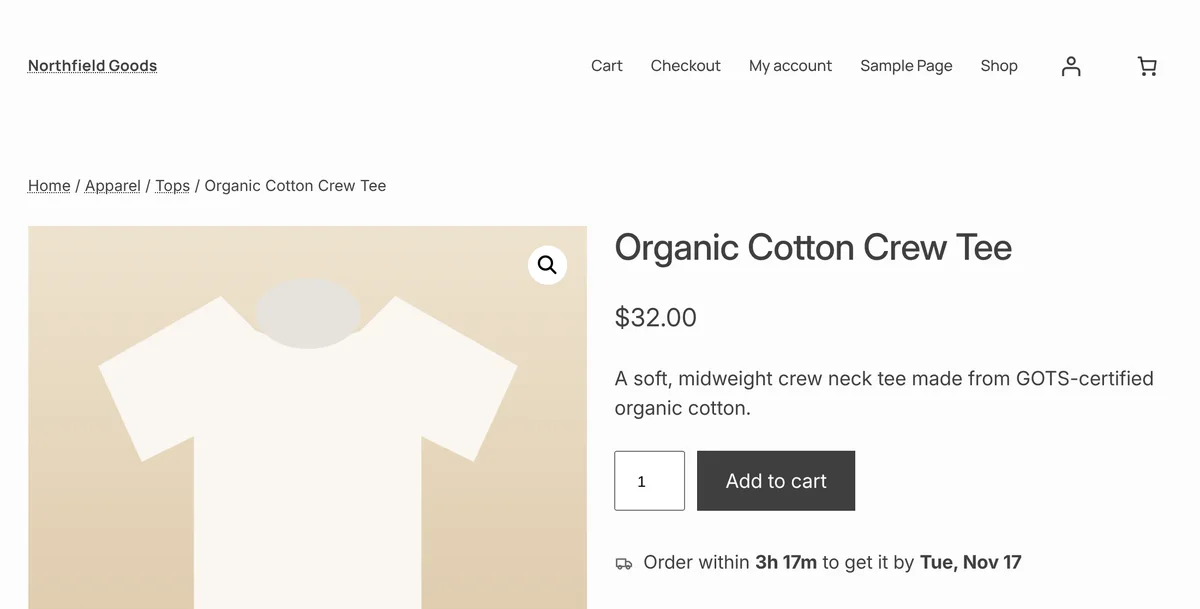
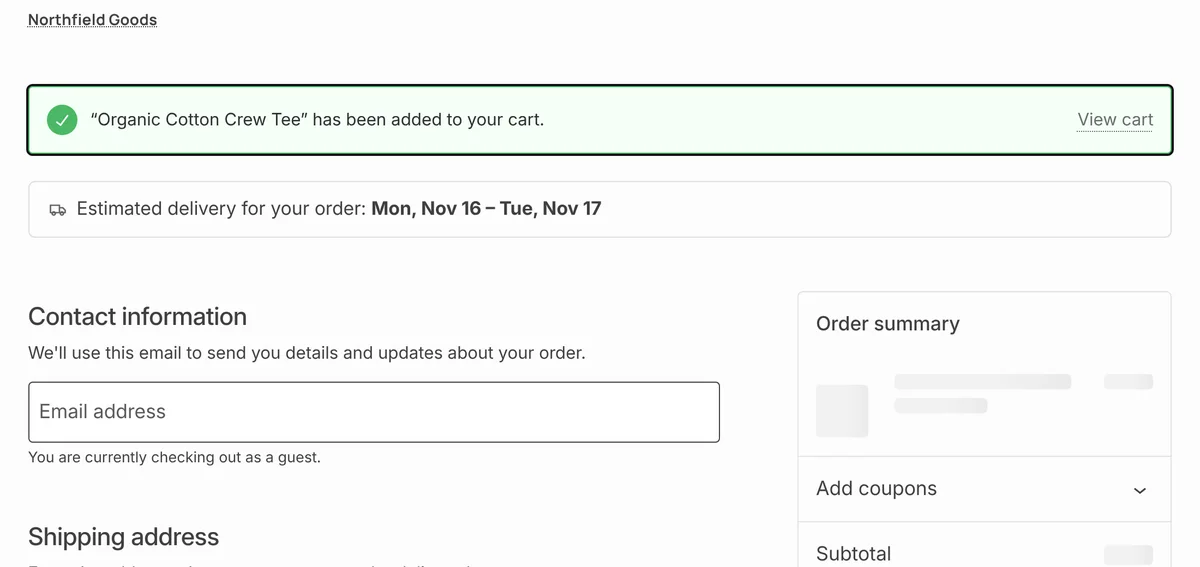
"Order within 3h 17m to get it by Tue, Nov 17" under every Add to cart button, worked out from your real cutoff time, packing days, weekends and holidays.
Download free See ProSet your schedule once. ShelfDate does the date maths for every product, every visitor, every day.
Order cutoff time, packing days, working days and holidays, in your store's time zone. Orders after the cutoff count from the next working day.
Longer times for made-to-order items, extra days for backorders. Subcategories inherit from their parent. No date on out-of-stock or digital products.
On sites with page caching, ShelfDate refreshes the date in the visitor's browser, so nobody sees yesterday's estimate.
Real screens from a WooCommerce test store.
Pro is an add-on: install free ShelfDate first, then add Pro on top.
| Feature | Free | Pro |
|---|---|---|
| Estimated delivery date on product pages, shop pages, cart and checkout | ✓ | ✓ |
| Cutoff time, packing days, working days and holidays | ✓ | ✓ |
| Different times per category or product, extra days for backorders | ✓ | ✓ |
| Works with block and classic themes, and with page caching | ✓ | ✓ |
| Different times per shipping zone and shipping method | – | ✓ |
| Live "Order within 2h 15m to get it by Friday" countdown | – | ✓ |
| Delivery date saved with each order: emails, thank-you page, My Account, admin | – | ✓ |
| Email support | – | ✓ |
Every plan includes all Pro features, updates and email support for a year.
ShelfDate is also on its way to the WordPress.org plugin directory.
An order before your cutoff on a working day counts from today; otherwise from the next working day. ShelfDate adds your packing days, then the shipping days, skipping weekends and holidays you set.
No. It's a small calculation with no outside services. The only extra request is a quick date refresh on cached pages older than 30 minutes.
Yes, and with the older shortcode cart and checkout too.
After checkout you get an email with the download and your license key. Upload Pro in WordPress, activate it, and paste the key when it asks. Free ShelfDate must be installed first.
Email support@shelftabs.com.