Shelf for Shopify

Questions, product tabs and delivery dates. One app.

Shoppers ask before they buy: When will it arrive? What's the return policy? Will it fit? Shelf answers all three on your product pages, so you don't need three separate apps.

Install on the Shopify App Store See plans
Free plan · Pro $6.99 a month with a 7-day free trial · Billed by Shopify
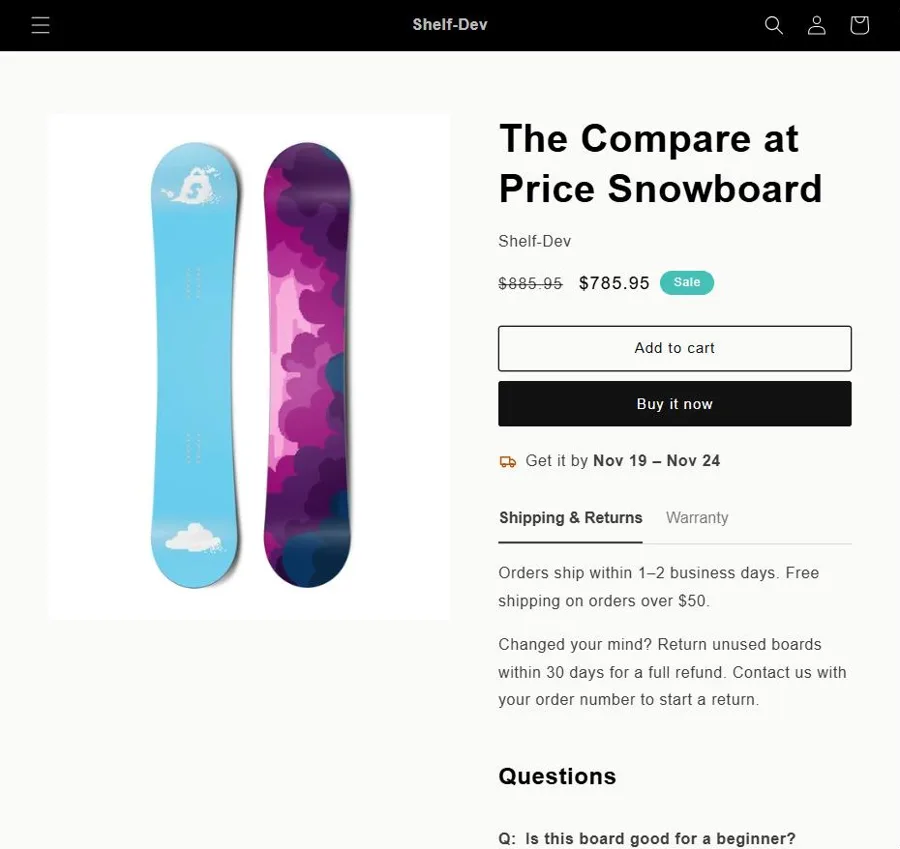
A Shopify product page showing an estimated delivery date and Shipping & Returns and Warranty tabs

Three answers shoppers look for

Each part is a theme app block. Add the ones you want in the theme editor; nothing touches your theme's code.

Product questions and answers

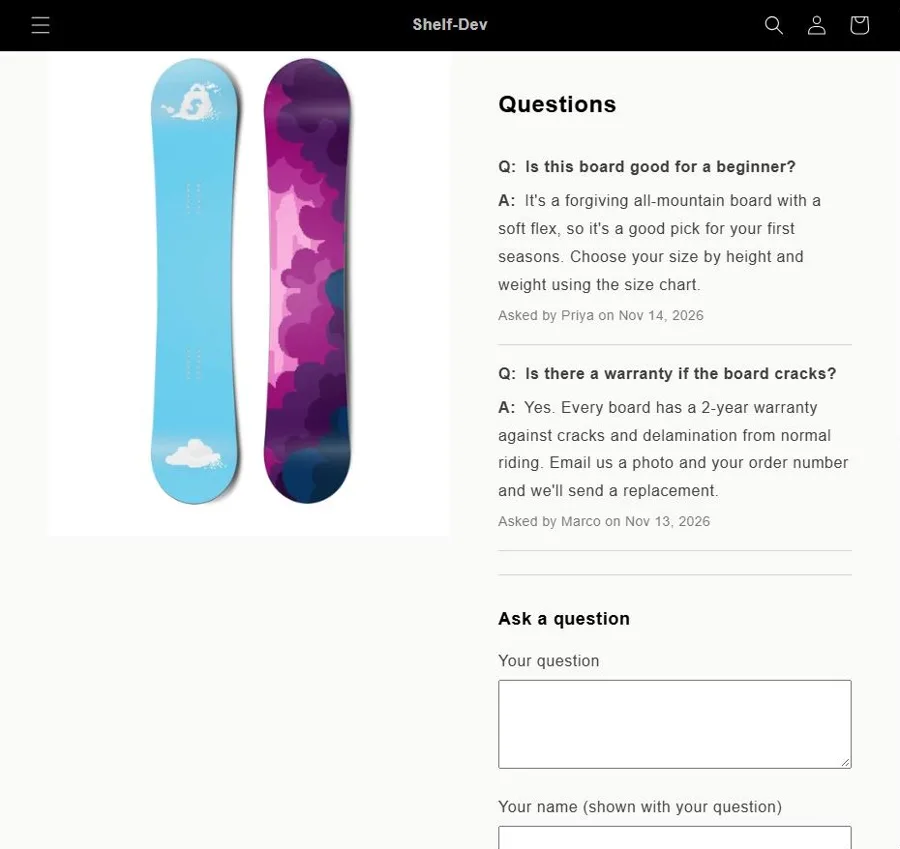
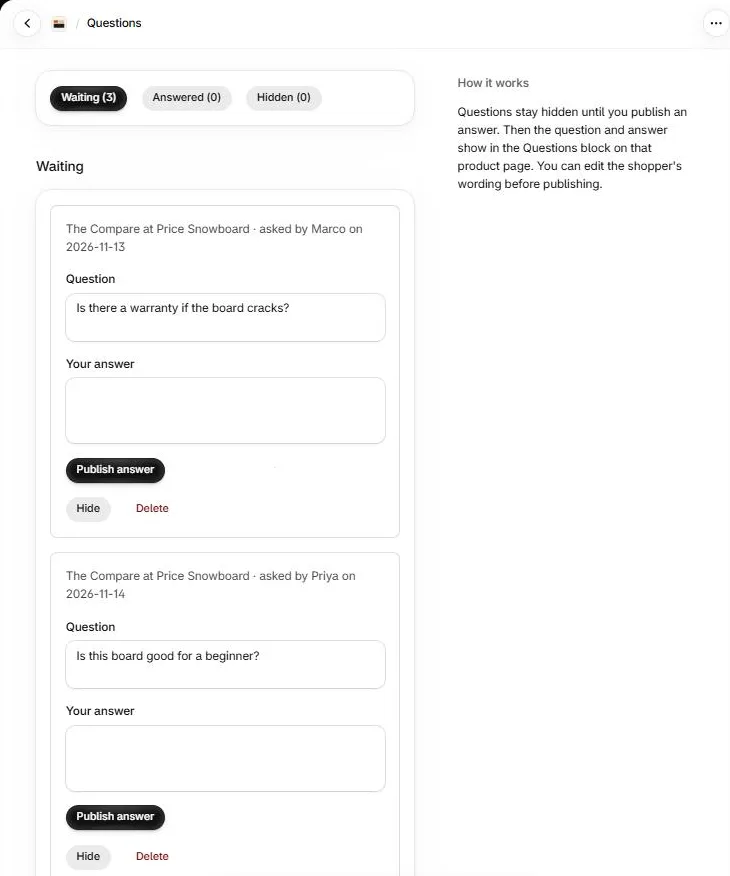
Shoppers ask on the product page, with no account needed. Questions wait in one inbox in your admin; nothing shows until you publish an answer, and then it stays for every shopper after them.

Product info tabs

Write Shipping & Returns, Warranty, Care or Size Guide once and show it on every product. Start from ready-made tabs and replace the text in [brackets].

Estimated delivery date

"Get it by Fri, Nov 20" under the buy buttons, worked out from your order cutoff, working days, packing and shipping days, and holidays, in your store's time zone.

Answered shopper questions on a Shopify product page
The Shelf questions inbox in the Shopify admin
Every question lands in one inbox in your Shopify admin. Answer, edit the wording, hide or delete.

Plans

Shopify bills Pro with your store's other app charges. Change or cancel your plan at any time from the app's Plan page.

Free

$0
  • Product questions and answers
  • Up to 2 product tabs, on every product
  • Estimated delivery date
Install free

Pro

$6.99 / month
  • Everything in Free
  • Unlimited product tabs
  • Show each tab only on chosen collections or tags
  • Live countdown: "Order within 2h 15m to get it by Friday"
  • One answer shown on every product, or on products with chosen tags
Start the 7-day free trial

Set up in a few minutes

  1. Install Shelf from the Shopify App Store.
  2. Open Shelf in your admin. On its home page, click Add the block to your theme for each part you want, then Save in the theme editor.
  3. Set your delivery schedule, write or pick your tabs, and answer questions as they arrive.

Questions

Does it work with my theme?

Shelf uses theme app blocks, which work with Online Store 2.0 themes such as Dawn and most current themes. Older "vintage" themes don't support app blocks.

Do shoppers need an account to ask a question?

No. They type the question and the name to show with it. To stop spam, each visitor can send a few questions an hour, and questions only appear once you answer them.

Does Shelf read my customers' data?

No. It doesn't read customer accounts, orders or email addresses. It stores the questions shoppers send and the names they type. See the privacy policy.

What happens if I switch from Pro to Free?

Shopify makes the change at the end of the billing period you've paid for, so Pro features stay on until then. The app's Plan page shows the date. After that you're on Free and won't be charged again.

Are you on WooCommerce too?

Yes: the same three jobs as separate plugins, ShelfTabs, ShelfDate and ShelfAsk.

How do I get help?

Email support@shelftabs.com.