See it inside WordPress
Real screens from a WooCommerce store using ShelfTabs and ShelfTabs Pro.
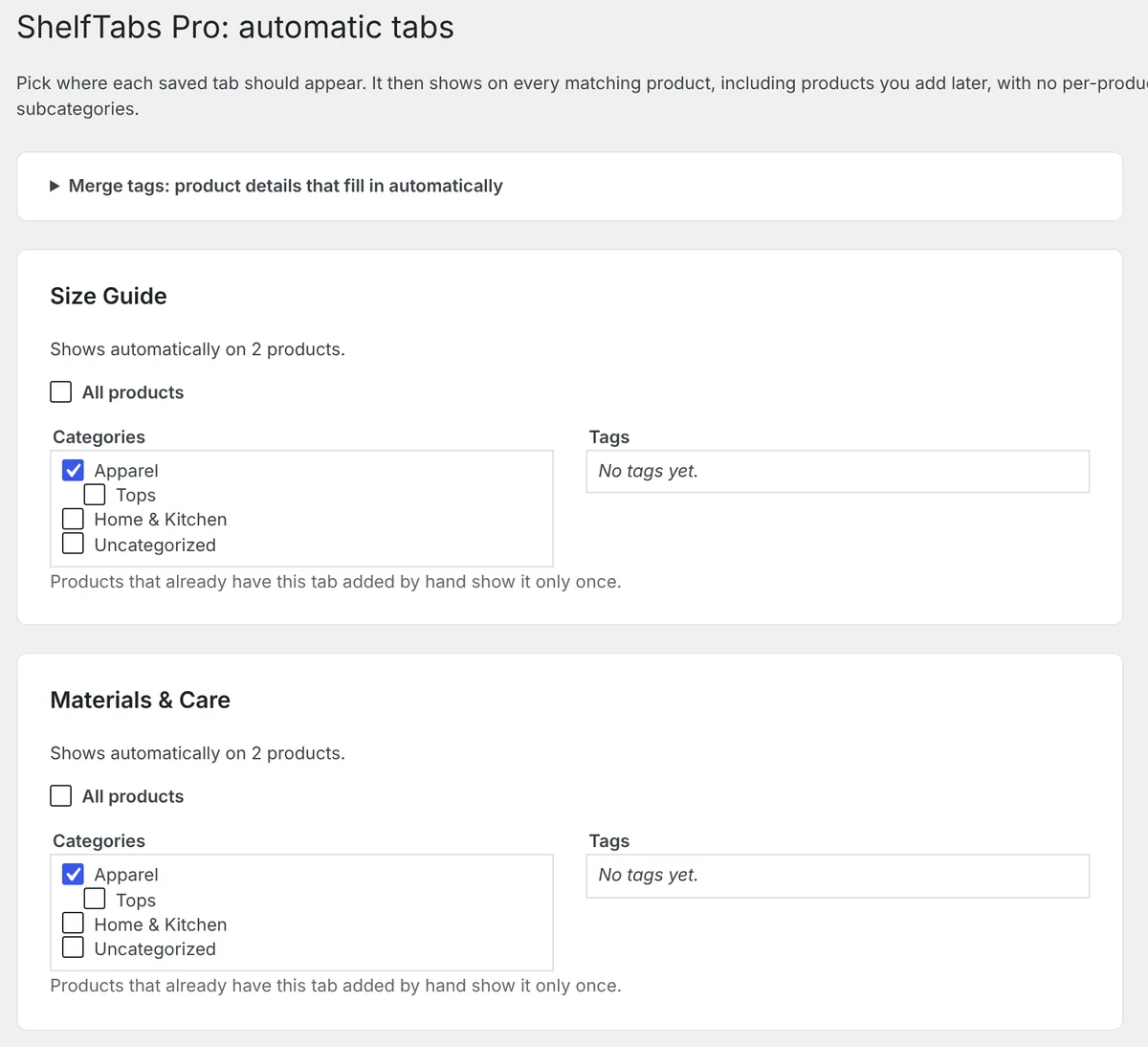
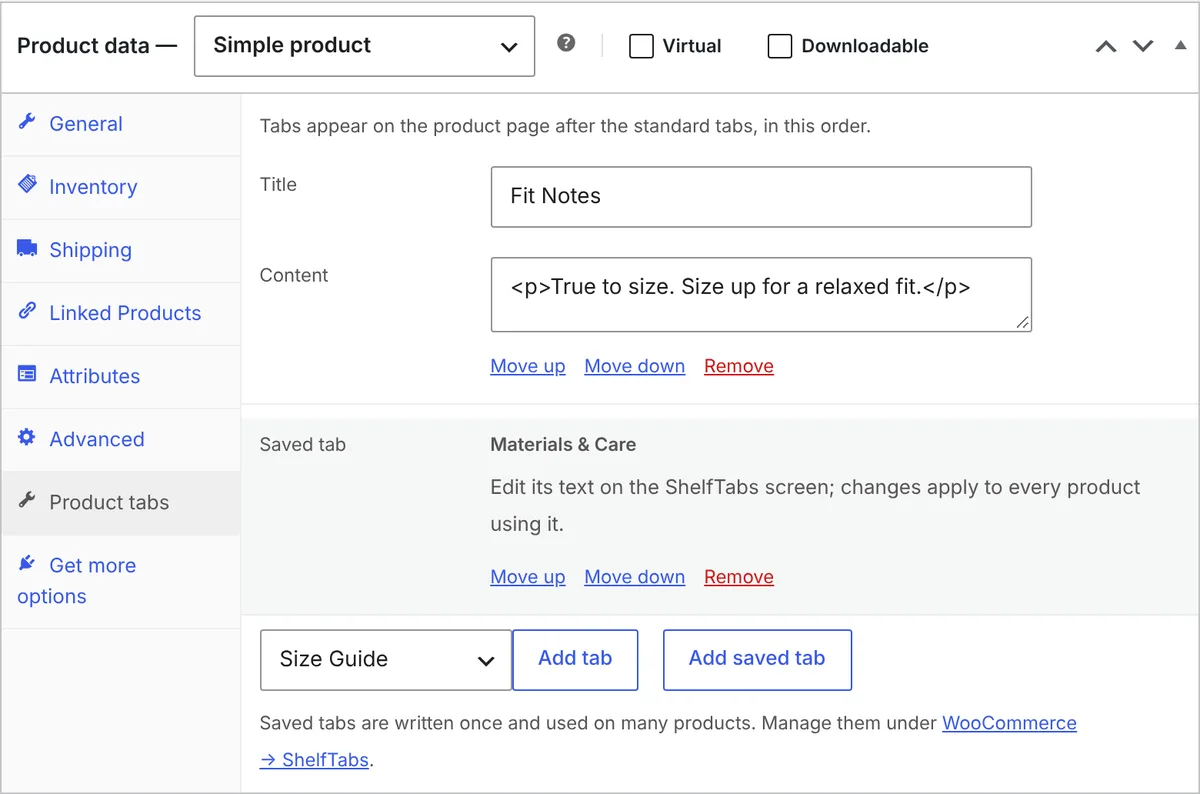
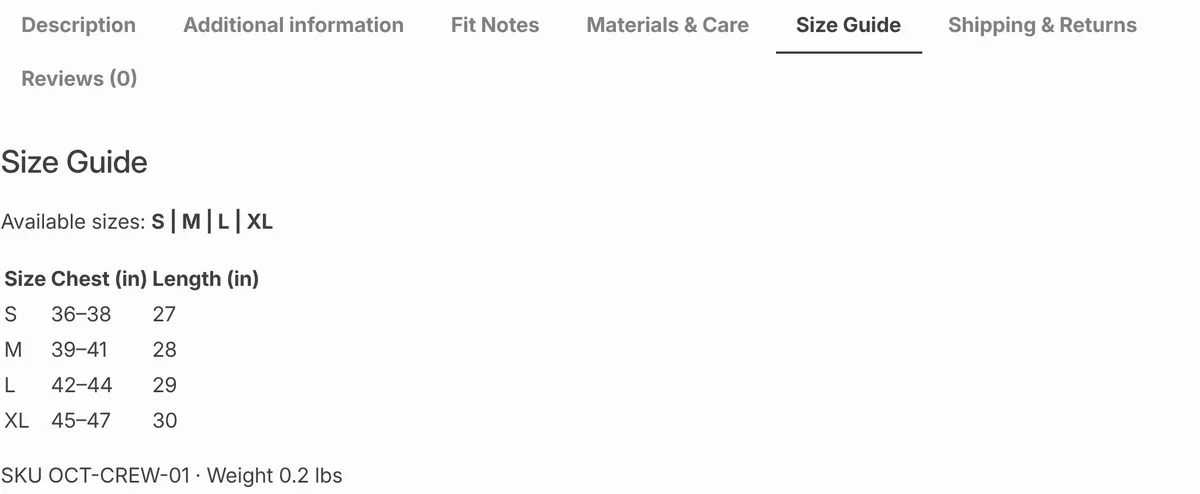
Size guides, shipping info and care instructions appear on every product in the categories you choose, filled in with each product's own SKU, weight and sizes.
Get ShelfTabs Pro Free version| SKU | OCT-CREW-01 |
| Sizes | S, M, L, XL |
| Weight | 0.2 kg |
The free ShelfTabs plugin gives every product its own tabs. Pro takes the per-product work away.
Pick categories, tags or all products. The tab shows on every match, including products you add later. Subcategories are included.
Type {{sku}}, {{weight}} or {{attribute:size}} into a shared tab, and each product page shows its own value.
Moving from Custom Product Tabs for WooCommerce? Import every product's tabs in one click. The old plugin's data is left untouched. See how it works.
Using a different tab plugin? Email support@shelftabs.com and tell us which one. We'll look at adding an importer for it.
Real screens from a WooCommerce store using ShelfTabs and ShelfTabs Pro.
Pro is an add-on: install the free plugin first, then add Pro on top.
| Feature | Free | Pro |
|---|---|---|
| Add, edit and reorder tabs on each product | ✓ | ✓ |
| Saved tabs you reuse across products | ✓ | ✓ |
| Ready-made tab packs (clothing, electronics, food, any store) | ✓ | ✓ |
| Videos, shortcodes and forms inside tabs | ✓ | ✓ |
| One-click import from Custom Product Tabs for WooCommerce | ✓ | ✓ |
| Show a saved tab on every product in a category or tag | – | ✓ |
| Merge tags that fill in each product's details | – | ✓ |
| Email support | Forum | ✓ |
Every plan includes all Pro features, updates and email support for a year.
Want delivery dates too? Get ShelfTabs Pro and ShelfDate Pro together from $49 a year, one license key for both.
See the bundleShelfTabs is also on its way to the WordPress.org plugin directory.
Yes. ShelfTabs Pro adds features on top of the free ShelfTabs plugin, so install that first. How to install it.
ShelfTabs adds tabs through WooCommerce's own product tabs, so they use your theme's existing tab style. There's nothing extra to design.
ShelfTabs imports them, including saved tabs, in batches so large stores don't time out. Nothing in the old plugin is changed or deleted, so you can switch back any time. Step-by-step guide.
The one-click import is for Custom Product Tabs for WooCommerce today. Email support@shelftabs.com with the plugin you use, and we'll look at adding an importer for it.
It shows once. Pro skips any saved tab the product already has.
After checkout you get an email with the download and your license key. Upload the plugin in WordPress, activate it, and paste the key when it asks.
Email support@shelftabs.com.