See it in a store
Real screens from a WooCommerce test store.
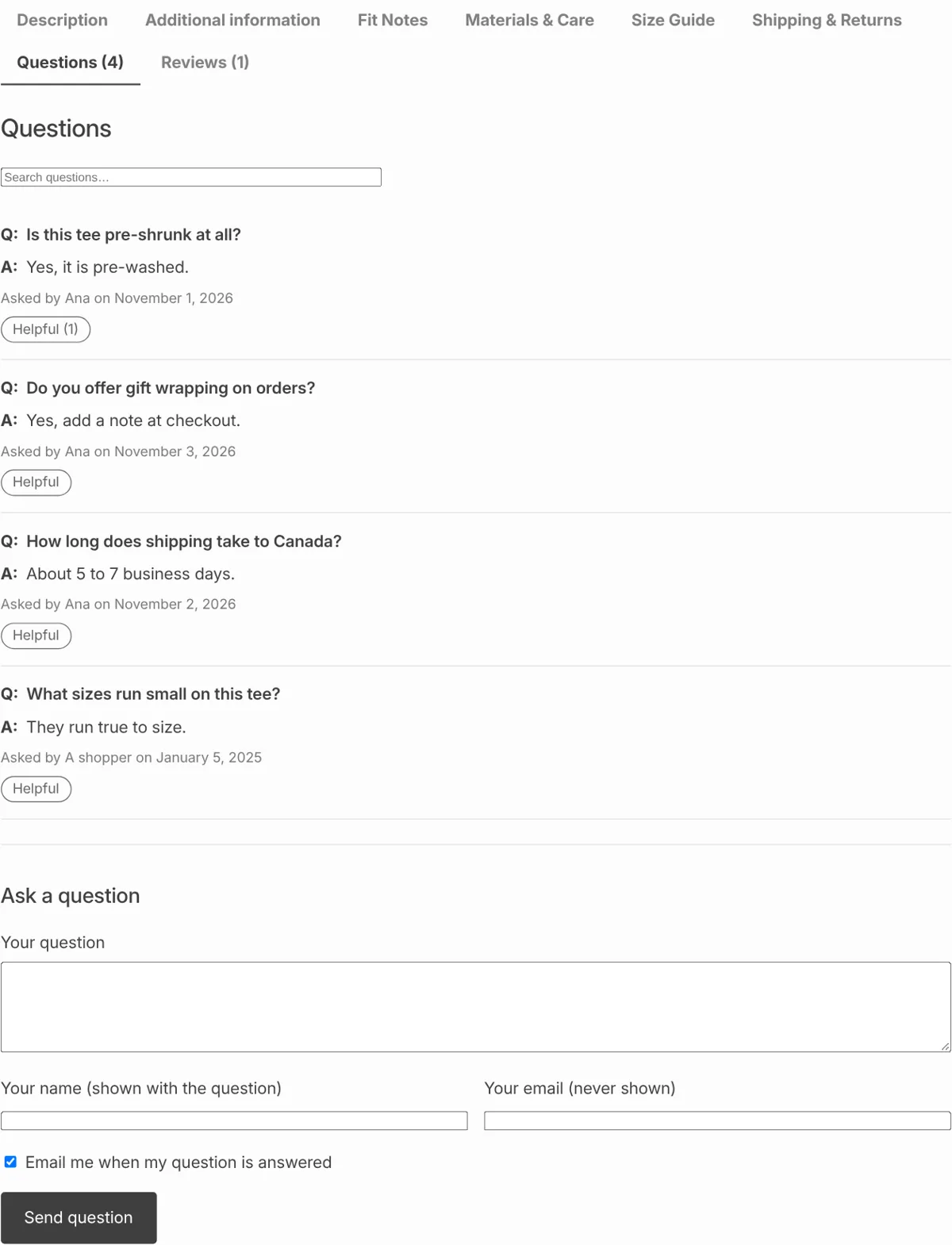
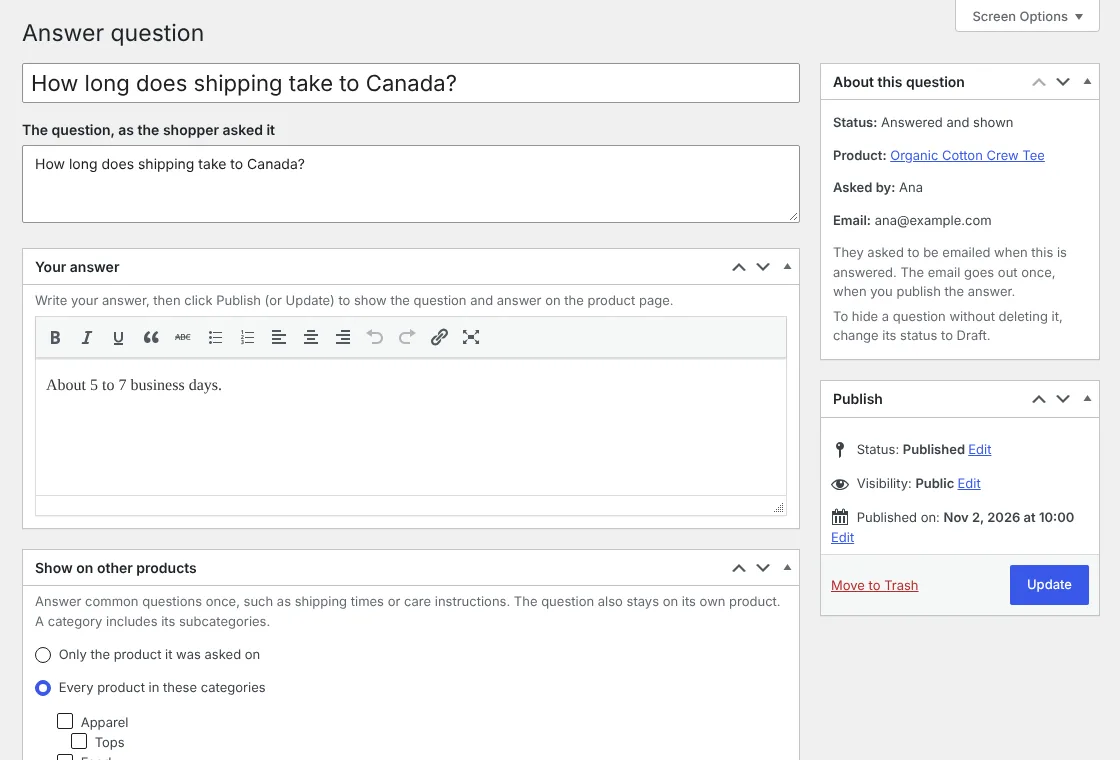
A Questions tab on every product page. A shopper asks, you get an email, you answer, and the answer stays on the page for every shopper after them, with no account needed to ask.
Download free See ProQ: Will it fit a car cup holder?
A: Most of them. The base is 2.9 inches wide.
Asked by Dana · Helpful (14)Q: Is the lid dishwasher safe?
A: Yes, top rack. Hand-wash the cup itself.
Asked by Marco · Helpful (6)Every question one shopper asks, many others were wondering too. ShelfAsk puts the answer where they'll see it.
Questions sit next to Reviews in WooCommerce's own tabs, with search and "show more" once a product has lots of them. Works with block and classic themes.
You get an email for each new question with a link straight to the answer box. The shopper gets an email when you answer, if they asked for one.
New questions wait for your answer. A hidden trap field, a signed form and a per-visitor limit stop most spam, with no captcha for shoppers.
Real screens from a WooCommerce test store.
Pro is an add-on: Install free ShelfAsk first, then add Pro on top.
| Feature | Free | Pro |
|---|---|---|
| Questions tab on every product, with search and "show more" | ✓ | ✓ |
| Guests or logged-in customers can ask; nothing shows until you answer | ✓ | ✓ |
| Email to you for each question, email to the shopper when you answer | ✓ | ✓ |
| Built-in spam guards, no captcha | ✓ | ✓ |
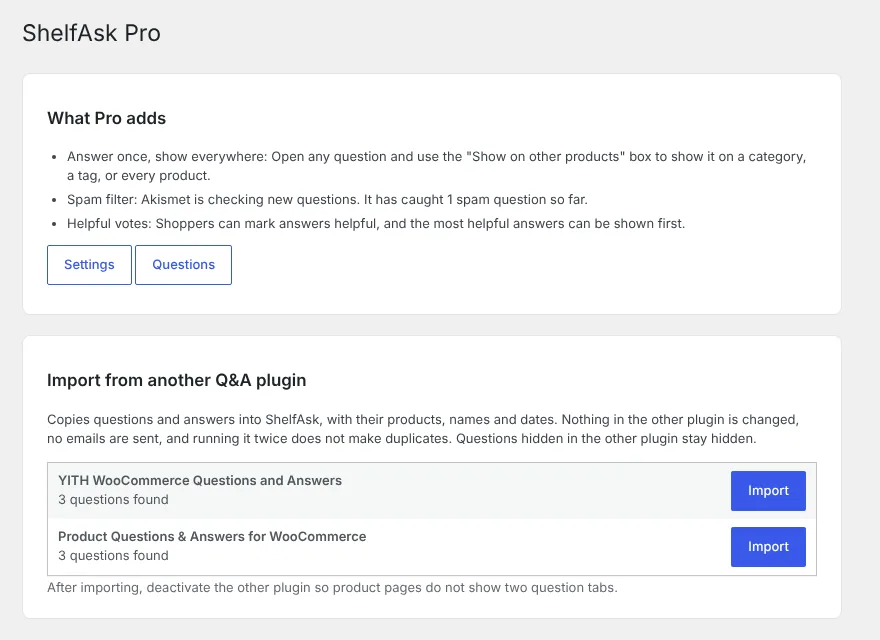
| Answer once, show it on every product in chosen categories or tags, or on all products | – | ✓ |
| Akismet spam filter: Spam is hidden and you're not emailed about it | – | ✓ |
| "Helpful" votes, with the most helpful answers shown first | – | ✓ |
| Import from YITH Questions and Answers or Product Questions & Answers for WooCommerce | – | ✓ |
| Email support | – | ✓ |
Every plan includes all Pro features, updates and email support for a year.
Want product tabs and delivery dates too? Get ShelfTabs Pro, ShelfDate Pro and ShelfAsk Pro together for $69 a year, one license key for all three.
See the bundlesShelfAsk is also on its way to the WordPress.org plugin directory.
No, unless you want them to. Guests give a name and, if they want a reply, an email address. You can switch to logged-in customers only in the settings.
No. Questions are kept separate from reviews, so your Reviews tab, stars and counts stay exactly as they are.
No. The small script and style load only on product pages, and there are no outside services unless you turn on Pro's Akismet check.
Yes, with Pro. It imports from YITH WooCommerce Questions and Answers and from Product Questions & Answers for WooCommerce, keeping products, names, dates and answers.
After checkout you get an email with the download and your license key. Upload Pro in WordPress, activate it, and paste the key when it asks. Free ShelfAsk must be installed first.
Email support@shelftabs.com.